


Let’s be honest — the day you apply for Google AdSense and hit ‘Submit’ feels a little like sending a job application to Google itself. You’ve poured time into your website, written articles you’re proud of, and now you’re waiting to see if a giant tech company thinks you’re good enough to show their ads.
It’s nerve-wracking. And for many bloggers, the answer that comes back is a rejection — often without a very clear explanation of what went wrong.
This guide changes that. We’re going to walk through everything Google actually looks for when reviewing an AdSense application — from technical setup and content requirements to the small details most people overlook. Follow this, and you’ll give yourself the strongest possible chance of fast approval.
1. What Is Google AdSense and Why Does It Matter?
Google AdSense is Google’s free program that allows website owners and bloggers to earn money by displaying targeted ads on their sites. When a visitor clicks an ad — or in some cases, simply views it — you earn a share of the advertising revenue Google receives from the advertiser.
It’s one of the most popular monetisation tools on the internet for a reason. It’s free to join, Google handles all the complex ad technology, and the earnings — while they depend heavily on your niche and traffic — can be genuinely meaningful for publishers who meet the bar.
| 2M+ Publishers using Google AdSense | $10B+ Paid to publishers annually | 80% Of websites use Google Ad Tech |
But here’s the thing — Google doesn’t let everyone in. AdSense has a quality threshold, and it enforces it strictly. Getting approved means your site meets Google’s standards for content quality, user experience, and advertiser safety. Once you’re approved, you’re part of a network advertisers genuinely trust.
2. Google AdSense Eligibility Requirements
Before you apply for Google AdSense, your site needs to meet some baseline eligibility criteria. These are non-negotiable — miss them, and you’ll be rejected before a human even looks at your content.
| ✅ You must be at least 18 years old |
| ✅ Your website must have original, high-quality content that complies with Google’s policies |
| ✅ Your site must comply with Google’s Publisher Policies and Programme Policies |
| ✅ You must own the website or have authorisation to monetise it |
| ✅ Your site must have been active for at least a few weeks (some countries require 6 months) |
| ✅ Your site cannot contain adult content, violent material, or copyrighted content you don’t own |
| ✅ You cannot already have a banned or disapproved AdSense account |
| ✅ Your site must be publicly accessible — not under construction or password-protected |
| ⚠️ Country-Specific Age Requirement If you are applying from China or India, Google requires your site to be at least 6 months old before you can apply for AdSense. For most other countries, there is no minimum age requirement — but your content still needs to be established enough to demonstrate consistent value to visitors. |

3. How to Set Up Your Website for Google AdSense Approval
Think of your website as your storefront. Before you invite Google to walk in, you want it to look professional, trustworthy, and clearly organised. Here is what that means in practice.
Essential Pages Every AdSense-Ready Site Needs
Google’s reviewers check for specific pages that signal your site is a legitimate, trustworthy publisher. Make sure you have all of these before applying:
| 📄 About Page — Who are you? What is your site about? A real About page shows you are a real person or organisation. |
| 📄 Contact Page — A working contact method (email form or email address) is essential. It shows accountability and trust. |
| 📄 Privacy Policy — Required by Google. Explains how you collect and use visitor data. Use a generator if needed. |
| 📄 Terms of Service — Not strictly required, but strongly recommended for credibility and legal protection. |
| 📄 Disclaimer — Particularly important if you publish affiliate content, health advice, or financial information. |
Technical Setup That Google Actually Checks
Your site’s technical health sends a strong signal to Google about how seriously you take your publishing. These details matter more than most people think:
- Custom domain: Use yoursite.com, not a free subdomain. A custom domain signals serious, long-term intent.
- HTTPS/SSL certificate: Your site must be secure (https://). An insecure site is an immediate red flag for Google.
- Mobile responsiveness: The majority of web traffic is mobile. Use a responsive theme and test on real mobile devices.
- Fast loading speed: Run your site through Google PageSpeed Insights and resolve any major performance issues.
- Clean navigation: Make sure your site has a clear, logical menu structure that visitors can navigate intuitively.
- No broken links: Audit internal and external links before applying. Broken links suggest a neglected, low-quality site.
4. Content Requirements That Google Actually Checks
This is where most rejections happen. The technical setup can be fixed in an afternoon. Content quality is something you build over weeks. Here is what Google AdSense reviewers are genuinely assessing when they look at your content.

Quantity and Quality Both Count
There is no official minimum number of articles for Google AdSense approval. But submitting a site with five thin posts is very unlikely to succeed. Most successful applicants have at least 20-30 well-written articles of 800-1,500 words each, covering their niche consistently.
More important than quantity is genuine quality. Each post should be:
- Original — written in your own words, not copied, spun, or heavily AI-generated without meaningful editing and expertise
- Helpful — genuinely addressing what a reader searching that topic would actually want to know, in depth
- Properly formatted — with clear headings, readable paragraphs, relevant images, and logical structure
- Error-free — poor spelling, grammar, and punctuation signal low quality to both Google and real readers
Content Google Will Reject
Certain types of content will get your Google AdSense application rejected outright — and can get your account banned even after approval. Avoid these completely:
| ❌ Prohibited Content Types | ❌ Low Quality Red Flags |
| Adult or sexually explicit content | Scraped or duplicate content from other sites |
| Violent or disturbing imagery | Pages with no clear purpose or value |
| Hate speech or discriminatory content | Sites still under construction |
| Drug-related content or promotion | Pages that are mostly advertising |
| Hacking, cracking or malware guides | Clickbait headlines with no real content |
| Gambling or weapons promotion | Content in languages AdSense does not support |
| Copyrighted content you do not own | News aggregators with no original commentary |
| Misleading health or financial claims | Low-quality user-generated content with no moderation |
| 💡 The Honest Content Test: Before applying, read each of your articles and ask honestly: ‘Would I bookmark this page?’ If the answer is no — if it feels thin, generic, or like it’s going through the motions — rewrite it before applying. Google’s reviewers are humans too, and they can tell the difference between content made for readers and content made to fill space. |
| “The best shortcut to Google AdSense approval is making a site so good it would feel wrong to reject it.” |
5. Step-by-Step: How to Apply for Google AdSense
Once your site is set up and your content is solid, here is exactly how to go through the Google AdSense application process from start to finish.
| 1 | Create or Sign In to Your Google Account Go to adsense.google.com and sign in with the Google account you want associated with your earnings. Use an account you’ll keep long-term — it is linked to your payment details and cannot easily be changed later. |
| 2 | Enter Your Website URL Type in your full website address (e.g., https://yoursite.com). Double-check the URL is exactly right — errors here can cause delays or require you to reapply. Make sure your site is publicly accessible before submitting. |
| 3 | Set Your Country and Payment Details. Select the country where you reside. This determines your tax obligations, payment currency, and applicable AdSense policies. Enter your payment details accurately — Google sends a small test deposit to verify your bank account. |
| 4 | Read and accept the AdSense Policies. Google asks you to confirm you have read the AdSense Programme Policies. Do not skip this — actually read it. Understanding the rules protects you from violations that could result in account termination later. |
| 5 | Add the AdSense Code to Your Site. Google provides a snippet of JavaScript to place in your website’s head section. This lets Google verify site ownership and begin the review. In WordPress, use the Site Kit by Google plugin or insert it via your theme’s header settings. |
| 6 | Wait for the Review Decision. Google’s review typically takes between a few days and 2-3 weeks. Keep publishing quality content during this time and avoid making major structural changes to your site. You will receive an email when Google has made a decision. |
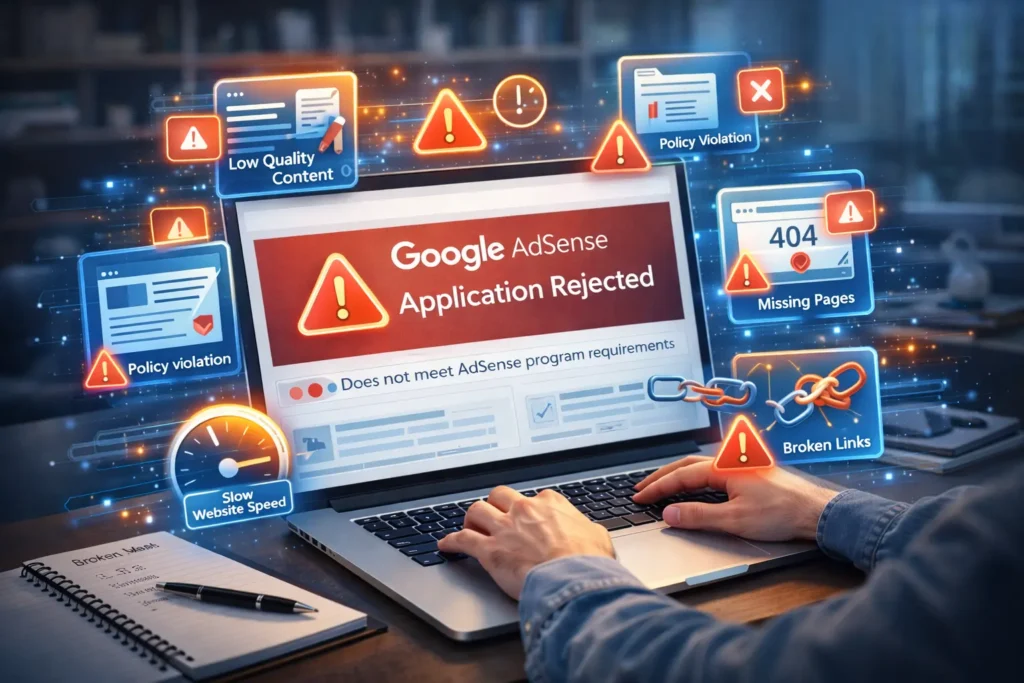
6. Common Reasons Google AdSense Gets Rejected
If your Google AdSense application was rejected — or you want to prevent rejection before you apply — here are the most common reasons Google turns sites down. Every single one is fixable.
Insufficient or Low-Quality Content
The single most common rejection reason by far. Google looks for sites with a meaningful library of original, helpful content. If your site is brand new with only a handful of posts, or if your existing posts are thin and superficial, rejection is very likely. The fix: keep publishing quality content consistently for 2-3 months before applying.
Website Does Not Comply with Google Policies
If any of your content touches prohibited topics — even just one article — it can sink your entire application. Review every post on your site before you apply. Remove or significantly rewrite anything that falls into grey or prohibited territory.
Low or No Traffic
Google does not publish a minimum traffic requirement for Google AdSense, but a site with very little traffic raises questions about whether the content is genuinely serving an audience. Aim for at least some organic search traffic before applying. Submit your sitemap to Google Search Console and allow time for indexing.
Missing Essential Pages
No About page. No Privacy Policy. No Contact page. These are red flags that signal an unprofessional or incomplete website. These pages take less than an hour to create and are absolutely worth doing before you hit Submit on your AdSense application.
Technical Issues on Your Site
Sites with poor mobile experience, no HTTPS, slow loading speeds, or broken navigation frequently get rejected. Run a full technical audit before applying — Google Search Console, PageSpeed Insights, and a free crawl tool will catch most issues quickly.
Too Many Ads from Other Networks Already
Ironically, having too many ads from other networks on your site when applying for Google AdSense can hurt your chances. It can make your site look more like an ad platform than a content publisher. Clean up your ad load before applying.
7. Pro Tips to Get Google AdSense Approved Fast
Beyond the basics, here are the things experienced publishers do that genuinely accelerate Google AdSense approval. These are not hacks — they are the things that make a site look credibly professional to a real human reviewer.
Focus on a Clear, Defined Niche
Sites that are clearly about one topic — parenting, personal finance, tech reviews, home improvement, travel — are easier for Google to assess and categorise. Scattered sites that cover everything from recipes to cryptocurrency to pet care can be harder to approve because they are harder to contextualise for advertisers. Pick a niche and own it.
Apply While Your Content Schedule Is Active
A site with fresh content published regularly looks far healthier than one that published 20 articles six months ago and has not been updated since. Recency matters to Google reviewers. Try to apply while your publishing cadence is active — ideally posting once or twice a week.
Build Some Organic Traffic First
You do not need millions of visitors. But having some real organic traffic — people finding your site through Google Search, Pinterest, or social media — shows Google your site is live, indexed, and serving real human readers. Submit your sitemap to Google Search Console and spend a few weeks building basic backlinks before applying.
Use Google’s Own Ecosystem
There is a quiet but real signal in using Google’s own tools. Google Analytics, Google Search Console, and Google Site Kit all signal that you are a serious, data-driven publisher. Google favours its own ecosystem — and using it shows you are invested in your site’s long-term growth.
Write Content That Answers Real Search Queries
Before writing any article, search the topic on Google. Look at what ranks. Then write something better — more detailed, more useful, more comprehensive. Articles that answer real search queries from real humans earn organic traffic, and traffic impresses AdSense reviewers more than any other single factor.
Review Your Site Through a Stranger’s Eyes
Log out of everything, open your site in an incognito window, and browse it as though you’ve never seen it before. Does it look professional? Is it easy to navigate? Would you trust it? Would you give it your email address? If your gut says no to any of these questions, fix those things before applying for Google AdSense.
8. What Happens After Google AdSense Approval?
Congratulations — you’ve been approved. Now what? This is where many publishers make avoidable mistakes that end up costing them their Google AdSense account. Here is how to start strong and protect your new revenue stream.
Understand Responsible Ad Placement
Google’s algorithms determine which ads show on your site, but you control where they appear. The key is balance — enough ads to generate meaningful revenue without ruining the user experience. A reliable rule of thumb: ads should never outnumber content, and no page should be more than 30% advertising by visual area.
Never, Ever Click Your Own Ads
This sounds obvious, but it gets publishers permanently banned every single year. Do not click your own ads — not once, not ‘just to test.’ Do not ask friends, family, or social media followers to click either. Google’s invalid click detection is sophisticated and unforgiving. One violation can mean a permanent ban with no appeal.
Monitor Your AdSense Dashboard Weekly
Your Google AdSense dashboard shows which pages are earning, which ad units are performing best, and where you can optimise. Check it at least weekly. Use page-level earnings to understand which content monetises best — then create more of it.
Never Stop Publishing Great Content
Your AdSense earnings grow with your traffic. Your traffic grows with your content. Getting approved is not the finish line — it’s the starting line. Set a realistic publishing schedule and stick to it. Sites that grow consistently earn consistently.
Auto Ads vs Manual Placement — Which Is Better?
Google’s Auto Ads feature places ads automatically in positions it predicts will perform well. Manual placement gives you more granular control. Most publishers start with Auto Ads for simplicity, then layer in manual units for their highest-traffic pages once they understand which content earns the most.
9. Frequently Asked Questions About Google AdSense
Here are the most commonly searched questions about Google AdSense, answered clearly and honestly.
| Q: How long does Google AdSense approval take? |
| A: Google AdSense approval typically takes between 1 day and 2-3 weeks. The timeline depends on your site’s content quality, traffic levels, and how busy Google’s review queue is. Most applicants hear back within two weeks. If it has been more than 4 weeks, check your spam folder and consider contacting AdSense support directly. |
| Q: How much traffic do I need for Google AdSense approval? |
| A: Google does not publish a minimum traffic requirement for AdSense. However, most successful applicants have at least some organic traffic from search engines or social media. Sites with zero traffic can still be approved if content quality is excellent — but real visitors significantly strengthen your application and demonstrate that your site is genuinely serving readers. |
| Q: Can I apply for Google AdSense with a free Blogger or WordPress.com site? |
| A: Google does approve some free platform sites, including Blogger (which Google owns). However, free WordPress.com plans are generally not eligible. For best results, use a self-hosted WordPress site with a custom domain. It gives you full control and signals a more professional, committed publishing operation to Google’s reviewers. |
| Q: How many articles do I need for Google AdSense approval? |
| A: There is no official minimum. But practically, most successful applicants have 20-30 well-written articles of 800 or more words each. Quality matters far more than quantity — ten outstanding, genuinely helpful articles can outperform 40 thin, generic ones. Focus on depth, originality, and usefulness over raw volume. |
| Q: Can I reapply after a Google AdSense rejection? |
| A: Absolutely. A rejection is not permanent. Google will inform you of the reason (though sometimes vaguely). Fix the specific issues they mention, improve your site broadly, and reapply after making meaningful changes. Many publishers who eventually get approved went through two or three rejection cycles first. Treat each rejection as a detailed brief for improvement. |
| Q: Is Google AdSense still worth it in 2026? |
| A: Yes — for content publishers with steady and growing traffic, Google AdSense remains one of the most reliable, lowest-effort ways to monetise a website. RPMs vary by niche and geography, but AdSense’s simplicity, Google’s vast advertiser base, and its payment reliability make it a strong foundation for blog monetisation at every level. |
| Q: What is the minimum age to apply for Google AdSense? |
| A: You must be at least 18 years old to hold a Google AdSense account. If you are younger, a parent or legal guardian can create the account in their own name and manage it on your behalf until you reach the age requirement. |
| Q: Can I use Google AdSense alongside other ad networks? |
| A: Yes. Google AdSense allows publishers to use other ad networks simultaneously, provided those networks do not violate AdSense policies. Many publishers combine AdSense with affiliate marketing, sponsored content, or other display networks. Just avoid overloading pages with too many ads — it damages user experience and can trigger a policy review from Google. |
| Your Google AdSense Approval Action Plan Getting Google AdSense approval is not a lottery — it is a standard. Build a real site with real content that genuinely helps real people. Get your technical fundamentals right. Follow Google’s policies carefully. Apply when your site is something you are proud of, not something you are hoping might slip through. Do that, and approval is not a matter of if — it is a matter of when. |