
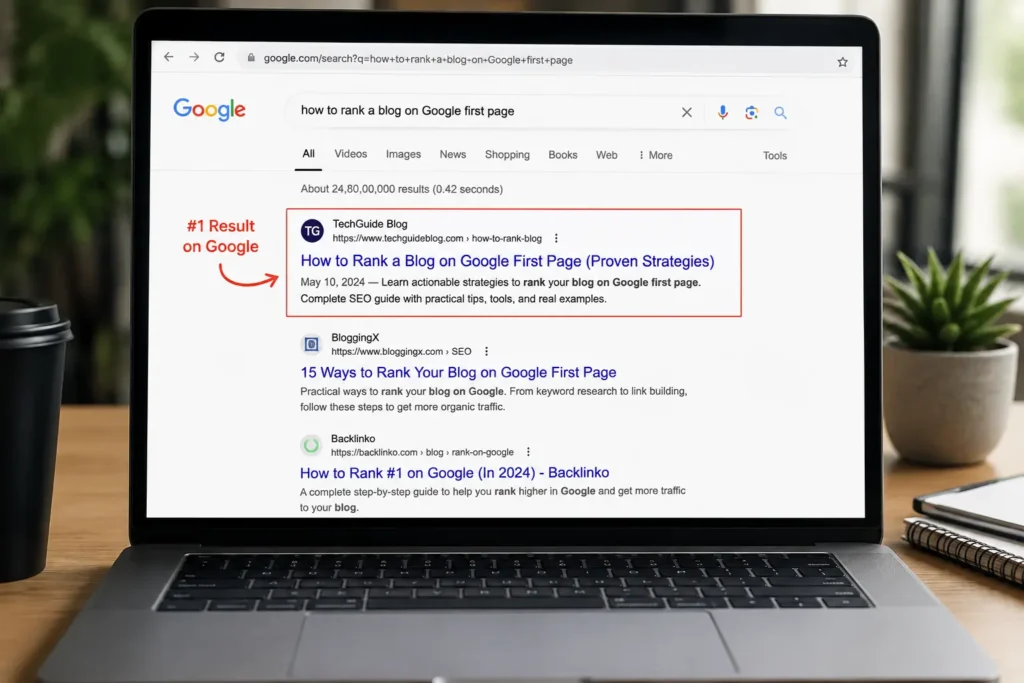

You hit publish. You share the link on social media. You wait. And then… nothing happens. Your blog post sits on page five of Google, buried under a hundred other articles, getting almost no visitors at all. Sound familiar?
If you have ever wondered why your blog posts will not climb Google’s rankings, you are not alone. Millions of bloggers face the same problem every single day. They write good content, but Google never shows it to anyone. The good news is that ranking on page one is not luck or magic. It is a skill you can learn, step by step.
In this guide, we will walk through exactly how to rank a blog on the Google first page using simple, proven methods that real bloggers and SEO experts use in 2026. No confusing jargon. No shortcuts that get you penalised. Just a clear roadmap you can follow today.
By the time you finish reading, you will know how search engines evaluate content, which technical details actually matter, and which ones are just noise. You will also get a practical checklist you can reuse for every future post, so this is not a one-time fix but a repeatable system.
Why Most Blogs Never Reach Google’s First Page
Before we get into the solutions, it helps to understand why so many blogs stay invisible. Google’s job is to show searchers the most helpful, trustworthy, and relevant answer to their question. It uses hundreds of ranking signals to decide which pages deserve the top spots.
Most blogs fail to rank because of a few common mistakes:
- They target keywords that are too competitive for a new website.
- They write content that does not fully answer the reader’s question.
- Their website loads too slowly or does not work well on mobile phones.
- They have zero backlinks pointing to their content.
- They ignore basic on-page SEO elements like title tags and headers.
The good news is that every one of these problems can be fixed. Once you understand what Google actually wants, ranking becomes much easier.
| Quick Insight: Google does not rank websites. Google ranks individual pages. That means even a brand-new blog can outrank a big, established site if that one page is genuinely the best answer available. |
A Quick Example: How a New Blog Reached Page One
Consider a small, six-month-old blog in the personal finance niche. The owner had almost no backlinks and very little domain authority. Instead of chasing broad terms like “how to save money,” she targeted a specific, low-competition phrase: “how to save money on a teacher’s salary.”
She wrote a genuinely thorough post, included real budget examples, addressed common follow-up questions, and ensured the page loaded quickly on mobile. Within eight weeks, the post reached the first page. It never earned a single paid backlink. The lesson is simple: a smaller, well-served audience is easier to win than a massive, crowded one.
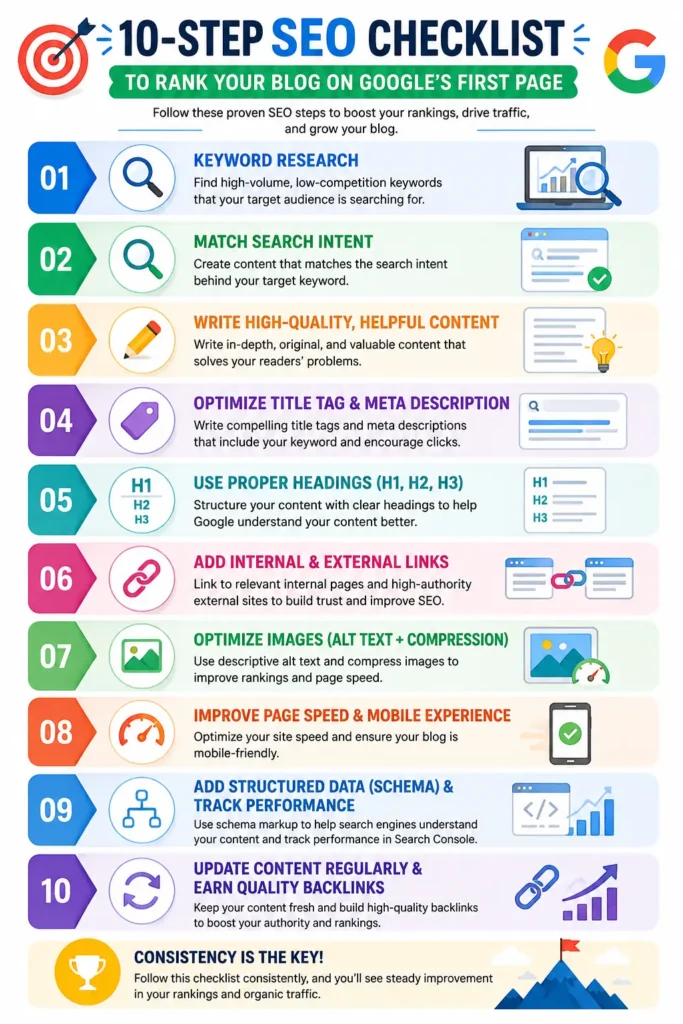
How to Rank a Blog on Google First Page: 10 Proven Methods
Here are ten practical, tested methods that answer the question everyone keeps asking. Work through them in order for the best results.
1. Do Proper Keyword Research First
Every successful blog post starts with the right keyword. Before you write a single word, find out what your audience is actually typing into Google. Tools like Google Keyword Planner, Ubersuggest, or Ahrefs can show you search volume and competition level.
Look for keywords with decent search volume but low to medium competition, especially if your blog is new. Long-tail keywords, phrases with three or more words, are usually easier to rank for and often bring in more targeted visitors.
It also helps to organise keywords into small clusters around one main topic. Instead of writing a single post and hoping it covers everything, plan three or four related posts that link to each other. This approach, often called topic clustering, signals to Google that your blog has real depth on a subject, not just one lucky article.
2. Understand Search Intent Before You Write
Search intent means the real reason behind a person’s search. Someone searching “best running shoes” wants a list of product recommendations, not a history lesson on shoes. Google is very good at matching intent, so if your content does not match what searchers actually want, it will not rank, no matter how well it is written.
Before writing, search your target keyword on Google and study the top ten results. Notice the format, whether it is a list, a guide, a review, or a comparison. Match that format, then make your version more helpful.
3. Write Long-Form, In-Depth Content
Short, thin articles rarely compete well against detailed guides. This does not mean padding your post with fluff. It means covering the topic completely so readers do not need to click back to Google and search again.
Aim to answer every reasonable question a reader might have about the topic. Use examples, step-by-step instructions, and clear explanations. A thorough 2,000 to 3,000 word guide often outperforms a rushed 500 word post.
4. Optimise Your On-Page SEO
On-page SEO is one of the fastest ways to improve your rankings, and it is completely within your control. Focus on these basics:
- Include your primary keyword in the title, the first paragraph, and at least one subheading.
- Write a compelling meta description that encourages clicks.
- Use a clean URL slug that includes your target keyword.
- Add descriptive alt text to every image.
- Break content into short paragraphs with clear H2 and H3 headings.
5. Improve Page Speed and Core Web Vitals
Google cares deeply about how fast your page loads and how stable it feels while loading. These technical signals, known as Core Web Vitals, directly affect rankings. A slow, clunky blog frustrates readers, and Google notices when visitors bounce back to the search results quickly.
Compress your images before uploading, use a reliable hosting provider, remove unnecessary plugins, and consider a caching tool. You can test your site speed for free using Google PageSpeed Insights.
Pay close attention to three specific metrics: how quickly the largest piece of content appears, how fast the page responds to a click or tap, and how much the layout shifts while loading. Small fixes, like setting fixed dimensions for images, often produce noticeable improvements within a single afternoon.
6. Make Your Blog Mobile-Friendly
More than half of all Google searches happen on mobile devices. Google uses mobile-first indexing, which means it primarily looks at the mobile version of your site when deciding how to rank you. If your blog looks broken or is hard to read on a phone, your rankings will suffer no matter how good the writing is.
Choose a responsive theme, use larger fonts, and test your pages on an actual phone before publishing.
7. Build Quality Backlinks
Backlinks are links from other websites pointing to your blog, and they remain one of the strongest ranking factors. A backlink acts like a vote of confidence, telling Google that other sites trust your content enough to recommend it.
- Write guest posts for reputable blogs in your niche.
- Reach out to sites that mention your topic and suggest your article as a resource.
- Create original data, guides, or tools that other bloggers naturally want to link to.
Focus on quality over quantity. A handful of links from respected, relevant sites is far more valuable than dozens of links from low-quality directories.
Avoid buying links or joining link exchange schemes. Google’s algorithms are very good at detecting unnatural link patterns, and getting caught can undo months of hard work. Earned links, ones people give you because your content genuinely deserves it, remain the safest and most durable strategy.
8. Use Internal Linking Strategically
Internal links connect your blog posts. They help Google understand your site structure and help readers discover more of your content, which increases time spent on your site.
Whenever you publish a new post, link back to two or three older, related articles. Use descriptive anchor text instead of generic phrases like “click here.”
9. Optimise for Featured Snippets and Answer Engines
Featured snippets are the highlighted boxes that appear above regular results, and voice assistants and AI answer engines often pull directly from them. Winning a featured snippet can put your blog above position one, even if your overall ranking is lower.
To target snippets, answer common questions in one or two clear sentences right after a subheading, and use numbered lists or tables for step-by-step processes. This same structure also helps your content get picked up by AI-powered search and answer engines.
10. Keep Content Fresh and Updated
Google favours content that stays current. An old post with outdated statistics or broken advice will slowly lose rankings, even if it once performed well.
Revisit your top posts every few months. Update statistics, add new sections, fix broken links, and refresh the publish date. This simple habit alone can bring old posts back onto page one.
Read More Blog
How to Fix iPhone Battery Draining Fast in 2026
iPhone 18 Release Date, Price, Features & Latest Rumours (2026)
Beginner’s Guide to SEO (Search Engine Optimization)
Helpful Free Tools for Blog SEO
You do not need an expensive software stack to get started. A handful of free tools cover almost everything a new blogger needs:
- Google Search Console: shows how your pages perform in search, which keywords bring traffic, and flags indexing problems.
- Google Analytics: tracks visitor behaviour, popular pages, and traffic sources so you know what is working.
- Google Keyword Planner: gives search volume estimates and keyword ideas directly from Google’s own data.
- Google PageSpeed Insights: measures loading speed and Core Web Vitals with specific fix suggestions.
- AnswerThePublic or AlsoAsked: reveals the real questions people search around your topic, perfect for FAQ sections.
Start with these five before spending money on paid SEO platforms. Most beginners get more value from mastering free tools than from juggling multiple paid subscriptions they barely use.
Pro Tips to Speed Up Your Ranking Results
- Publish consistently rather than in occasional bursts; steady output builds trust with Google over time.
- Write for humans first, then adjust lightly for search engines; readable content earns more shares and links.
- Use short paragraphs and simple words so readers of all levels can follow along easily.
- Add an FAQ section to almost every post; it improves your chances of appearing in “People Also Ask” boxes.
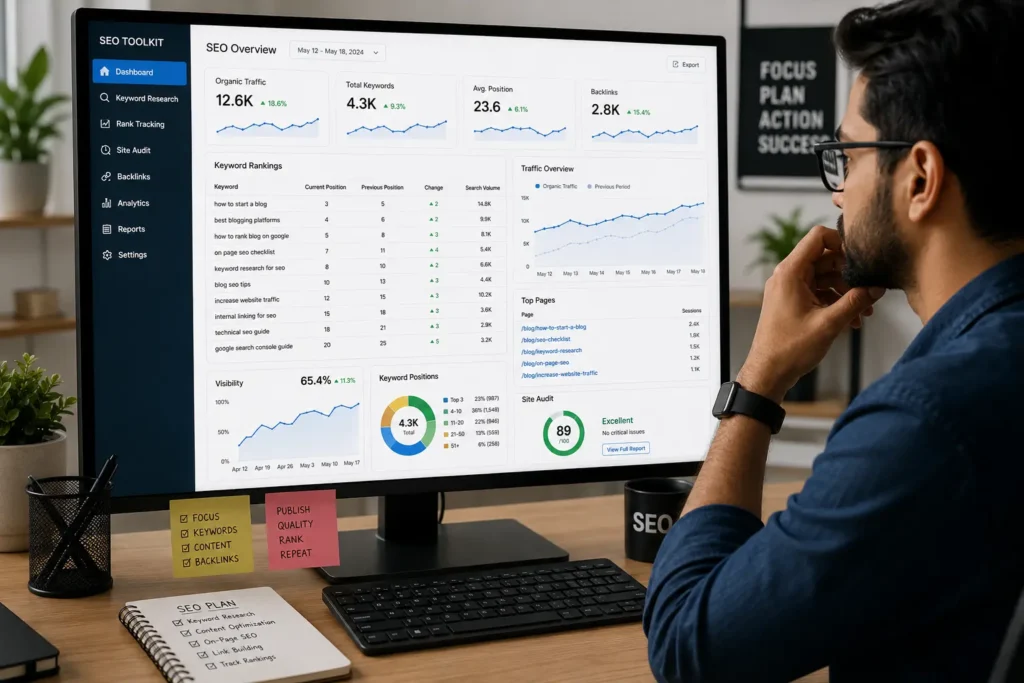
- Track your rankings weekly with a free tool like Google Search Console instead of guessing.
| Pro Tip: New blogs usually see the biggest jump in rankings between month three and month six, as long as you publish consistently and follow solid on-page SEO. Do not give up too early. |
Common Mistakes That Hold Blogs Back
Even experienced writers fall into a few traps that quietly damage their rankings. Watch out for these:
- Writing for search engines instead of readers, which produces stiff, unnatural sentences that people bounce away from quickly.
- Ignoring older posts after publishing, letting valuable content go stale and slowly lose its position.
- Copying competitor content too closely instead of adding a fresh angle or original research.
- Overloading pages with ads or pop-ups that hurt user experience and page speed at the same time.
- Skipping proofreading, which leaves typos and broken sentences that reduce reader trust and time on page.
Fixing even two or three of these issues across your existing posts can produce a noticeable ranking improvement within a few weeks, often faster than writing brand-new content.
Troubleshooting: Why Your Blog Still Isn’t Ranking
If you have followed the steps above and still are not seeing movement, check these common issues:
- Your site may not be indexed yet. Check Google Search Console to confirm the page is indexed.
- Your keyword may be too competitive for your site’s current authority level. Try a more specific, less competitive variation.
- Your content might be too similar to what already ranks. Add unique insights, examples, or data that competitors do not have.
- Technical errors like broken links, duplicate content, or missing meta tags could be holding you back. Run a free audit with a tool like Screaming Frog or Ahrefs Webmaster Tools.
- You may need more time. New pages can take anywhere from a few weeks to a few months to fully settle into their ranking position.
Frequently Asked Questions
How long does it take to rank a blog on Google’s first page?
It usually takes anywhere from three to twelve months, depending on your niche, competition, and how consistently you publish and promote quality content. New websites generally take longer than established ones.
Do I need backlinks to rank on the first page?
Backlinks help a great deal, especially for competitive keywords, but they are not always required. Well-optimised, in-depth content targeting low-competition, long-tail keywords can rank on merit alone.
Is keyword density still important for SEO in 2026?
Keyword density matters far less than it used to. Google now focuses on topic relevance and natural language rather than exact keyword counts. Aim for roughly 1 per cent density and let the writing flow naturally instead of forcing repetition.
Can I rank a blog without spending money on ads or tools?
Yes. Many bloggers rank purely through organic SEO using free tools like Google Search Console, Google Trends, and Google Keyword Planner. It takes more time and effort, but it is entirely possible without a paid budget.
What is the single most important ranking factor?
There is no single factor, but genuinely helpful, well-researched content that fully satisfies search intent consistently outperforms content built purely around SEO tricks.
Should I focus on quantity or quality when publishing blog posts?
Quality should always come first. One thorough, well-optimised 3,000-word guide will typically outperform five rushed, shallow posts. That said, consistent publishing of quality content compounds results over time.
Will social media shares help my blog rank higher?
Social shares are not a direct Google ranking factor, but they indirectly help by driving traffic and increasing the chance that other bloggers discover and link to your content. Think of social media as a distribution channel that supports your overall SEO effort.
How do I know if my blog is optimised correctly?
Free plugins like Rank Math or Yoast SEO give you a real-time score as you write, checking your title, meta description, keyword placement, and readability. Aim for a green or “good” score before publishing, then double-check the page on both desktop and mobile.
Conclusion: Your Next Steps to Page One
Learning how to rank a blog on the first page is not about chasing secret tricks. It comes down to solid keyword research, content that truly satisfies your reader, clean on-page SEO, a fast and mobile-friendly site, and a steady stream of quality backlinks.
Start with just one blog post. Apply the ten methods above from start to finish, track your progress in Google Search Console, and keep improving as you learn what works for your specific niche. Rankings rarely happen overnight, but with consistent effort, page one is absolutely within reach.
Remember that SEO is not a one-time project you finish and forget. Search engines update their algorithms constantly, competitors publish new content, and reader expectations keep rising. Treat this guide as a living checklist you return to before every post, not a task you complete just once.
Ready to put this guide into action? Pick your next blog topic today, run it through these ten steps, and start building the kind of content Google actually wants to rank. Bookmark this guide, share it with a fellow blogger who needs it, and check back in a few months to update your own content using the same checklist. Your first page-one ranking could be just one well-optimised post away.