
If you have searched for “Windows 12” lately, you have probably landed on a dozen different articles that all say something different. One site swears Windows 12 is launching any day now. Another says it got delayed. A third is trying to sell you a “Windows 12 ISO” download link.
Here is the truth: as of today, Windows 12 does not officially exist. Microsoft has never announced it, never given it a release date, and never confirmed a single feature. Everything you have read about it so far is built on leaks, guesswork, and a fair bit of internet noise.
That does not mean the rumours are pointless, though. There is real smoke here, and it is worth understanding where it is coming from, what Microsoft is actually working on, and what you should do while you wait. This guide breaks it all down in plain language, so you know exactly what is fact and what is fiction, without the countdown-clock clickbait you have probably already scrolled past.
We will cover where the Windows 12 name came from, what current reporting says about a possible timeline, which rumoured features actually have some evidence behind them, and, just as importantly, how to avoid the scam download sites that have started popping up around the hype. By the end, you will know exactly what to do with your current PC while the real Windows 12 story continues to unfold.
What Is Windows 12, Really?
Windows 12 is the name tech writers and leakers have been using for the operating system many expect to follow Windows 11. The idea makes sense on paper. Windows 11 launched in October 2021, and Microsoft has a history of releasing a brand-new version every few years.
But “makes sense on paper” is not the same as “confirmed.” Microsoft has not registered the name, has not shown a logo, and has not put a release window on any roadmap. Right now, Windows 12 is a placeholder name the internet has agreed to use while it waits for Microsoft to say something official.
Is Windows 12 Officially Announced by Microsoft?
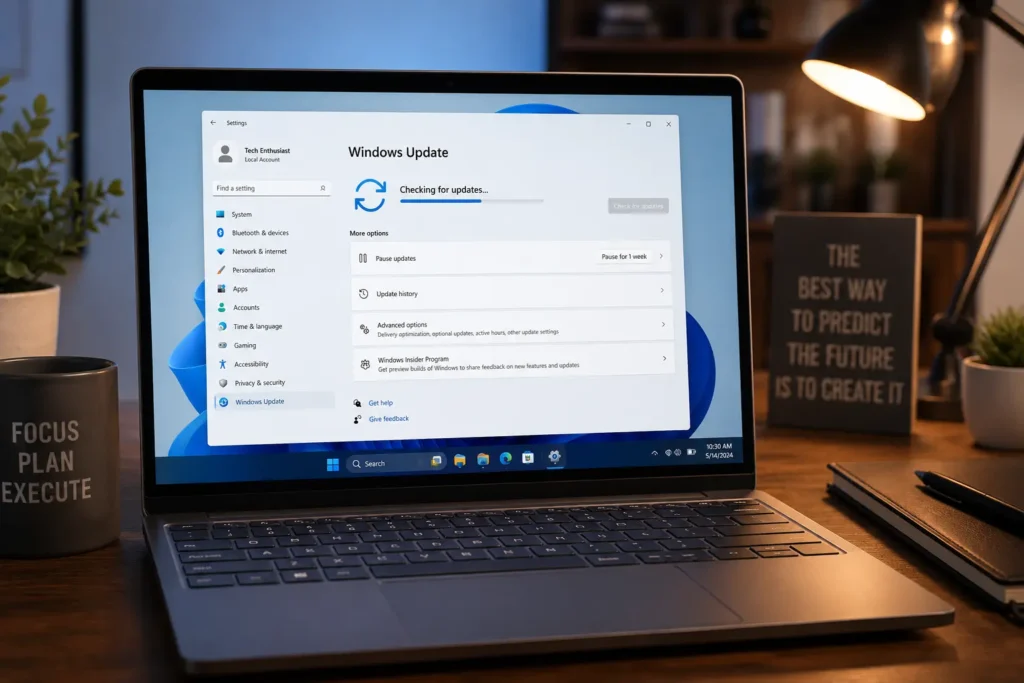
No. Microsoft has not confirmed Windows 12 exists as a product, a codename, or a release plan. The clearest recent signal actually points the other way: Microsoft has publicly focused on rolling out feature updates to Windows 11, including versions 24H2, 25H2, and 26H2, rather than talking about a next-generation OS.
At CES earlier this year, Microsoft leadership described a “Windows 11 PC refresh” as the focus, with no mention of a new operating system on the horizon. That is a strong hint that Windows 12, if it happens at all, is not imminent.
Windows 12 Release Date: What the Latest Reports Say
This is the part everyone actually wants to know, so let’s get straight to it.
- Multiple well-connected Windows reporters now say Windows 12 is unlikely to launch in 2026.
- The more common estimate points to 2027 at the earliest, and even that is described as a guess, not a leak with a real date attached.
- Some outlets have floated late 2026, based on Microsoft’s historical release pattern (roughly six years between major versions), but this is pattern-matching, not insider information.
- There has been no Windows Insider beta, no preview build, and no early access program for anything called Windows 12.
If you take one thing away from this section, let it be this: nobody outside Microsoft actually knows the release date, and anyone giving you an exact month should be treated with healthy scepticism.
Why Is Windows 12 Taking So Long?
A few things seem to be driving the delay, based on how Microsoft has been spending its time and resources.
Microsoft Is Fixing Windows 11 First
Reports point to an internal quality initiative focused on cleaning up Windows 11’s biggest pain points: performance issues, reliability bugs, and AI features that users did not ask for. This kind of groundwork often comes before a bigger platform jump, not alongside one.
The Hardware Isn’t Ready Yet
A lot of the rumoured Windows 12 features lean heavily on NPUs (Neural Processing Units), the AI-focused chips found in newer “Copilot+ PCs.” Most PCs in use today do not have one. Launching an OS that needs hardware most people do not own yet would be a rough start, so Microsoft may be waiting for NPU adoption to catch up. Rolling AI-heavy features into Windows 11 first, on machines that already have the right chips, lets Microsoft test the experience without forcing a full operating system switch on everyone else.
An Internal Redesign May Have Been Scrapped
Leaks had pointed to a modular system called CorePC, which would let Microsoft ship lighter or heavier versions of Windows depending on the device. More recent reporting suggests this project has likely been shelved, at least in its original form, which would explain part of the slowdown.
Rumoured Windows 12 Features
Even without an official announcement, leaked builds and industry chatter have pointed to a consistent set of ideas. Treat these as “things being tested,” not “features guaranteed to ship.”
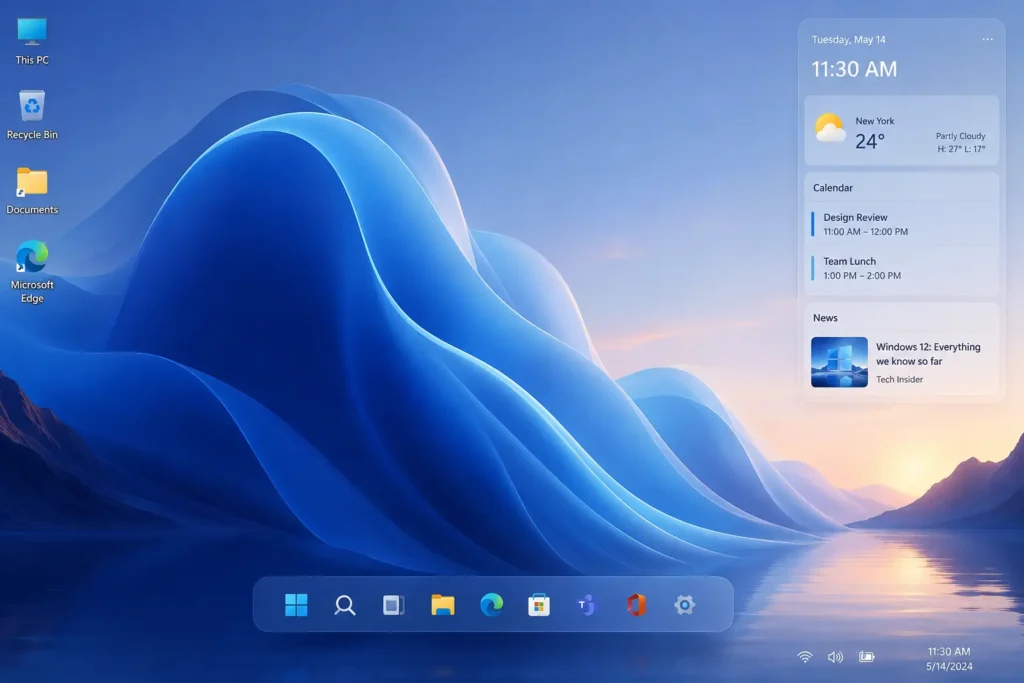
A Redesigned, Floating Taskbar
Leaked Canary Channel builds have shown a taskbar that floats slightly above the bottom edge of the screen with rounded corners, closer to the look of macOS or iPadOS docks.
Deeper AI Integration
Expect natural-language search, smarter file tagging, and AI tools built further into the core experience rather than tucked into a sidebar. This lines up with Microsoft’s broader Copilot push across its products.
A Possible Modular Architecture
If the CorePC-style idea survives in any form, it could let Microsoft offer a lighter version of Windows for tablets and budget laptops, and a heavier version for gaming PCs and workstations, all from the same base.
A Top System Bar
Some leaks mention system icons like Wi-Fi, battery, and the clock possibly moving to a slim bar at the top of the screen, freeing up more room for apps.
Quick summary of the rumour mill:
- Floating, rounded taskbar
- AI-first search and automation tools
- Possible modular “lite” and “full” editions
- Redesigned system tray placement
- Heavier reliance on NPU-powered AI features
Windows 11 vs. Windows 12: What Might Actually Change
It helps to separate what Windows 11 already does well from what Windows 12 is rumoured to add on top. Here is a simple side-by-side look based on current reporting.
| Area | Windows 11 (Today) | Windows 12 (Rumoured) |
| Taskbar | Centred, fixed to the bottom edge | Possibly floating, with rounded corners |
| AI Features | Copilot as an add-on sidebar/app | AI built deeper into search and system tools |
| System Structure | Single unified build for most devices | Possibly modular, with lighter and heavier editions |
| Hardware Focus | Works on both older and newer CPUs | May lean more heavily on NPU-equipped hardware |
| Release Status | Actively updated (24H2, 25H2, 26H2) | Not announced, no beta, no confirmed date |
The takeaway here is that Windows 12, if it arrives, looks less like a totally new operating system and more like a natural next step from where Windows 11 already is. Microsoft has been quietly testing several of these ideas within Windows 11 itself, which is part of why some feature overlap is expected rather than a dramatic overnight change.
Windows 12 System Requirements (Rumoured, Not Confirmed)
Microsoft has not published any official Windows 12 system requirements, because there is no official Windows 12. That said, based on the direction of current Windows 11 hardware requirements and the AI-heavy rumours, here is what analysts are guessing:
- 64-bit processor
- 4GB RAM or more (likely higher for full AI features)
- 64GB or more storage
- TPM 2.0 and Secure Boot support
- DirectX 12 compatible graphics
- An NPU for advanced AI features (not necessarily for basic use)
- A Microsoft account for setup on some editions
If your PC already meets Windows 11’s requirements, you are in a reasonable position. If you want access to the AI-heavy features being rumoured, a newer Copilot+ PC with a dedicated NPU chip will likely matter more than raw CPU speed.
Will Windows 12 Be Free to Upgrade?
There is no confirmed pricing model, and no confirmed free upgrade path, because the product itself does not exist yet. You may have seen claims online about a mandatory Windows 12 subscription. Those claims have been walked back by the outlets that originally published them, with editors noting the stories lacked real sourcing.
The more realistic scenario, if Microsoft ever adds a subscription option, is that it would apply to a premium AI tier layered on top of a normal desktop experience, similar to how Microsoft 365 works today. A locked, subscription-only version of core Windows would be a major departure from how Microsoft has sold Windows for decades, and nothing credible currently supports that idea.
Beware: Fake Windows 12 Downloads and Scams
This is the single most important practical piece of advice in this article, so read it carefully.
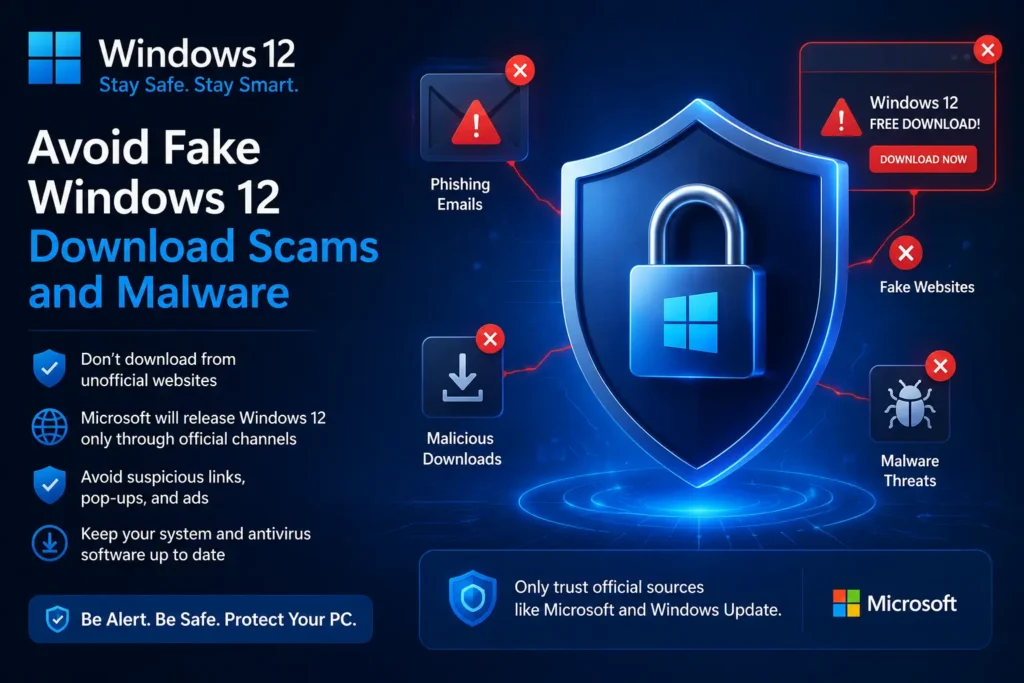
Because Windows 12 hype is so high, scam sites have started appearing that claim to offer “leaked Windows 12 ISOs” or “early access downloads.” These are not real. At best, you will download a modified Windows 11 build; at worst, you will download malware disguised as an operating system installer.
Rules to protect yourself:
- Never download a Windows ISO from a site you have not verified as Microsoft or a known OEM partner.
- Ignore any “Windows 12 beta” download link shared on social media or forums.
- Remember that Microsoft has not released any Insider Preview build under the Windows 12 name.
- If a deal or download looks urgent or too easy, that urgency is usually the scam working as intended.
How to Prepare for Windows 12 While You Wait
You cannot install something that does not exist yet, but you can absolutely get ready for it. Here is a practical checklist.
- Check whether your PC meets Windows 11 requirements. This is the best proxy for future compatibility, since Windows 12 will likely build on similar baseline hardware needs.
- Keep Windows 11 fully updated. Feature updates like 25H2 and 26H2 are quietly rolling in improvements that may carry over conceptually to the next OS.
- Back up your files regularly. Any major OS transition is a good moment to make sure your documents, photos, and settings are safely stored, ideally in more than one place.
- Research NPU-equipped PCs if you plan to buy new hardware. If AI features matter to you, a Copilot+ PC with a modern NPU is the safer long-term buy.
- Bookmark Microsoft’s official Windows blog. This is the only source that will ever have accurate, first-party Windows 12 news.
- Ignore countdown timers and “leaked release date” clickbait. No independent site knows Microsoft’s internal roadmap.
- Clean up your current PC. Uninstall unused programs, clear out old files, and free up storage. A lighter system is easier to upgrade whenever the time comes.
- Review your software and driver compatibility. Older peripherals sometimes struggle after major Windows upgrades, so check manufacturer sites for updated drivers.
- Set a news alert for “Windows 12.” This way, you will hear about a real announcement within hours instead of relying on rumour roundups.
- Avoid paying for anything claiming to be Windows 12 right now. There is nothing legitimate to buy yet.
Should You Wait for Windows 12 or Upgrade to Windows 11 Now?
For almost everyone, the answer is simple: use Windows 11 now. It is supported, stable, and receiving regular updates, with support commitments stretching out for years. Waiting on Windows 12 means waiting on a product with no confirmed release date, which could easily mean waiting another year or two.
If you are still running Windows 10, this question matters even more, since Windows 10 has already reached its end of support. Staying on an unsupported operating system leaves you without security updates, which is a real risk regardless of what Windows 12 eventually looks like.
Pro Tips
Pro Tip 1: Treat any article with an exact Windows 12 release date as speculation unless it links directly to an official Microsoft announcement.
Pro Tip 2: If you are buying a new laptop this year and want it to age well, prioritise a model with an NPU, even if you do not need AI features today.
Pro Tip 3: Turn on automatic updates for Windows 11 so you are not stuck several versions behind when a real Windows 12 rollout eventually begins.
Troubleshooting: Common Concerns While You Wait
“My PC doesn’t meet Windows 11 requirements. Will I be locked out of Windows 12?”
Possibly, if requirements stay similar or increase. Consider whether a hardware upgrade or a new PC makes sense over the next year, especially since Windows 10 support has already ended.
“I downloaded something called a Windows 12 installer. What do I do?”
Do not run it. Delete the file, run a full antivirus scan, and only ever get Windows software from Microsoft’s official site going forward.
“Windows 11 feels slow. Should I just wait for Windows 12 to fix it?”
No. Run Windows 11’s built-in troubleshooters, check for pending updates, and clear out startup programs. Performance fixes are rolling out through regular Windows 11 updates already, so there is no reason to wait on a future OS to fix today’s problems.
“Is Windows 12 going to be a paid subscription?”
There is no confirmed evidence of this. Early claims to that effect were retracted by the outlets that published them.
Read More Article
How to Fix iPhone Battery Draining Fast in 2026
Best Free VPN Software for Secure Browsing in 2026
Frequently Asked Questions
1. Has Microsoft officially confirmed Windows 12?
No. Microsoft has not confirmed the name, release date, features, or pricing for Windows 12. Everything currently available is based on leaks and industry speculation.
2. When will Windows 12 be released?
There is no confirmed release date. Most current reporting suggests it is unlikely in 2026, with 2027 mentioned as a more realistic possibility, though even that is not guaranteed.
3. Can I download or install Windows 12 right now?
No. There is no official beta, preview build, or download of any kind. Any site offering a “Windows 12 ISO” should be treated as a scam.
4. Will Windows 12 be a free upgrade?
There is no confirmed pricing model yet. Historically, major Windows versions have been offered as free upgrades to users on a recent prior version, but nothing is confirmed for Windows 12.
5. Do I need a new PC to run Windows 12?
It depends on the final requirements, which have not been announced. If your current PC meets Windows 11’s requirements, you are in a reasonable starting position, though advanced AI features may need newer NPU-equipped hardware.
6. Should I stop using Windows 11 and wait for Windows 12?
No. Windows 11 is fully supported and regularly updated. Waiting for an OS with no confirmed release date is not a practical strategy, especially if you are currently on the unsupported Windows 10.
Final Thoughts
Windows 12 is one of the most talked-about products that does not technically exist yet. The rumours are fun to follow, and some of the leaked ideas, like a redesigned taskbar and deeper AI tools, genuinely sound promising. But none of it is official, none of it has a real release date, and none of it is available to download today.
The smartest move right now is simple: keep your current Windows 11 PC updated, ignore scammy download links, and treat any “leaked release date” with a healthy dose of scepticism. When Microsoft actually announces something, it will be all over their official channels, not buried in a random forum post.
Want to make sure you are running the most secure, up-to-date version of Windows while you wait? Check your current Windows 11 version in Settings today, and turn on automatic updates so you are ready the moment real news drops.