

Imagine this: you’re sitting at a coffee shop, using the free Wi-Fi, and you open your banking app. You feel fine. But someone else on that same network is quietly watching every move you make online. Sounds scary, right? This is not just a movie plot — it happens every single day to real people around the world.
The internet is not as private as most of us think. Advertisers track you. Hackers sniff your data. Governments monitor your activity. Internet Service Providers (ISPs) log your browsing history. And if you’re not using the right VPN software, you’re basically leaving your front door wide open.
The good news? You don’t need to spend money to protect yourself. In 2026, several excellent free VPN software options can encrypt your connection, hide your IP address, and keep your browsing private — without costing you a single rupee or dollar.
In this guide, we’ll walk you through the best free VPN software available today, explain what to look for, and give you practical tips to browse the web safely and anonymously. Whether you’re a student, a remote worker, or just someone who values their privacy, this guide is for you.
What Is VPN Software and Why Do You Need It?
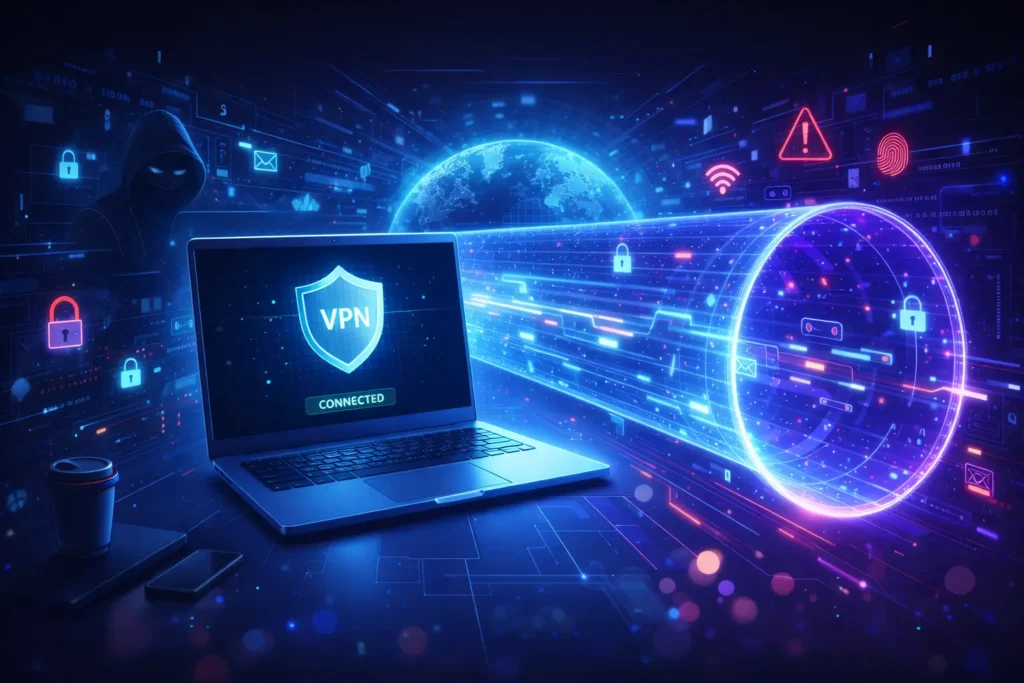
VPN stands for Virtual Private Network. VPN software creates a secure, encrypted tunnel between your device and the internet. Think of it like a secret underground passage that keeps your data hidden from anyone trying to peek at it.
When you connect through a VPN, your real IP address is hidden and replaced by the VPN server’s IP. This means websites can’t track your actual location, and hackers can’t intercept your data — even on public Wi-Fi.
Key reasons to use VPN software in 2026:
- Protect your personal data on public Wi-Fi
- Bypass geo-restrictions on content and streaming
- Prevent ISPs from logging your browsing history
- Access blocked websites in restricted countries
- Stay anonymous online and reduce targeted advertising
- Secure remote work and protect company data
What to Look for in Free VPN Software
Not all free VPN software is equal. Some are slow. Some log your data and sell it. Some offer barely any security. Before picking one, here’s what you should check:
- No-log policy: The VPN should not store any record of your online activity
- Strong encryption: Look for AES-256 encryption, the gold standard in internet security
- Data limits: Free VPNs often cap your data. Know how much you get per day or month
- Server locations: More server options mean better speed and more geo-unlocking
- Kill switch: Cuts off the internet if the VPN drops, so your real IP is never exposed
- Platform compatibility: Should work on Windows, Mac, Android, and iOS
10 Best Free VPN Software for Secure Browsing in 2026
Here are the top free VPN software options tested and reviewed for 2026. Each one has been evaluated on security, speed, data limits, and ease of use.
1. Proton VPN — Best Overall Free VPN Software
Proton VPN is, without a doubt, the best free VPN software available in 2026. The free plan comes with unlimited data, which is almost unheard of in the free VPN world. It is developed by the same team behind ProtonMail, a privacy-focused encrypted email service based in Switzerland.
- Data limit: Unlimited
- Servers: 3 countries (US, Netherlands, Japan)
- No-log policy: Yes, audited
- Platforms: Windows, Mac, Linux, Android, iOS
- Best for: Privacy-conscious users who need unlimited bandwidth
Pro Tip: Proton VPN’s free plan limits you to one device at a time. If you need more, consider upgrading, but for a single device, the free plan is hard to beat.
2. Windscribe — Best for High Monthly Data Allowance
Windscribe gives you 10 GB of free data per month, which is one of the most generous allowances among free VPN software. It also has a build-a-plan option, which lets you buy only the server locations you need.
- Data limit: 10 GB/month (15 GB if you tweet about them)
- Servers: 10+ countries on free plan
- Ad blocker: Yes, built-in
- Platforms: Windows, Mac, Linux, iOS, Android, browser extensions
- Best for: Users who want solid security with ad blocking
3. TunnelBear — Best Beginner-Friendly VPN Software
If you’ve never used VPN software before, TunnelBear is where you should start. Its interface is simple, playful, and incredibly easy to use. You literally click one button, and you’re protected. It’s backed by strong encryption and an annual independent security audit.
- Data limit: 500 MB/month (free plan)
- Servers: 47 countries
- Audited: Yes, annual third-party audit
- Best for: Beginners and occasional users
4. Hotspot Shield — Best for Fast Browsing Speeds
Speed is everything when it comes to browsing. Hotspot Shield’s free VPN software uses its proprietary Hydra protocol, which is designed to deliver faster speeds than standard VPN protocols. It’s great for quick browsing sessions and light streaming.
- Data limit: 500 MB/day
- Servers: 1 US server (free plan)
- Protocol: Catapult Hydra (proprietary)
- Best for: Users who prioritise speed over server variety
5. hide.me — Best for Privacy and No Registration
hide.me is a Malaysian-based VPN that has a strong track record of protecting user privacy. Its free plan does not require you to create an account — just download, install, and connect. No email, no personal data required.
- Data limit: 10 GB/month
- Servers: 5 server locations
- No logs: Verified
- Best for: Privacy-first users who want zero account tracking
6. PrivadoVPN — Best for Streaming on Free Plan
PrivadoVPN is a newer name in the VPN software space, but it has quickly gained a reputation for allowing streaming access even on its free plan. It gives you 10 GB/month and access to servers in 12 cities worldwide.
- Data limit: 10 GB/month
- Servers: 12 cities
- Streaming support: Yes
- Best for: Casual streamers on a budget
7. Atlas VPN — Best for Android and iOS Users
Atlas VPN offers unlimited data on its free plan for mobile users, which is a rare find. It uses WireGuard, one of the fastest and most modern VPN protocols available, ensuring both speed and security on your smartphone.
- Data limit: Unlimited (mobile only)
- Protocol: WireGuard
- No-log policy: Yes
- Best for: Mobile-first users
8. Opera VPN — Best Built-In Browser VPN
If you use Opera as your browser, you already have access to a free built-in VPN. It’s not a full VPN software in the traditional sense (it only covers your browser traffic), but it’s a great option for quick, browser-based protection with no downloads or setup required.
- Data limit: Unlimited
- Coverage: Browser traffic only
- Setup: Zero — just toggle it on in the browser settings
- Best for: Casual browsing without app setup
9. Cloudflare WARP — Best for Everyday Speed
Cloudflare WARP isn’t a traditional VPN software, but it acts like one. It encrypts your DNS queries and routes your traffic through Cloudflare’s fast global network. It’s completely free with no data limits, and the speeds are excellent for everyday use.
- Data limit: Unlimited
- IP masking: Partial (encrypts DNS, not full IP)
- Best for: Users who want speed and DNS security
10. Lantern — Best for Bypassing Censorship
Lantern is designed specifically for users in heavily censored countries like China, Iran, or Russia. It uses peer-to-peer technology to bypass government-level internet blocks. It’s not as feature-rich as other VPN software options, but it does what it promises in restricted regions.
- Data limit: 500 MB/month (free)
- Best for: Users in censored regions

How to Set Up Free VPN Software Step by Step
Setting up VPN software is easier than most people think. Here’s a simple, step-by-step guide using Proton VPN as an example:
- Step 1: Go to protonvpn.com and create a free account using your email address
- Step 2: Download the VPN software for your device (Windows, Mac, Android, or iOS)
- Step 3: Install the app by following the on-screen instructions (takes under 2 minutes)
- Step 4: Open the app and log in with your Proton account details
- Step 5: Choose a free server location (US, Netherlands, or Japan)
- Step 6: Click “Quick Connect” and wait 5–10 seconds for the connection to establish
- Step 7: A green checkmark or shield icon confirms you’re now protected and browsing securely
Pro Tips for Getting the Most Out of Free VPN Software
Tip 1: Always Enable the Kill Switch
If your VPN drops unexpectedly, your device will revert to your regular unprotected connection. A kill switch prevents this by cutting off your internet entirely until the VPN reconnects. Always turn this on in your settings if the option is available.
Tip 2: Use VPN Software on Public Wi-Fi Every Time
Any time you connect to a public Wi-Fi network — at a cafe, airport, hotel, or library — turn on your VPN before opening any app or website. Public networks are prime hunting grounds for hackers and data sniffers.
Tip 3: Choose the Nearest Server for Better Speed
The farther a VPN server is from your actual location, the slower your connection tends to be. Always pick the closest available server to get the best speeds, unless you specifically need to appear in another country.
Tip 4: Avoid Free VPN Apps from Unknown Developers
There are thousands of VPN apps on the Google Play Store and App Store. Many of them are dangerous. They may log your data, inject ads into your traffic, or even install malware on your device. Stick to trusted names like the ones on this list.
Tip 5: Check for DNS Leaks Regularly
Even with VPN software active, sometimes your DNS requests can leak and reveal your real location. Use a free tool like dnsleaktest.com to check whether your VPN is hiding your data properly. A good VPN should show only the server’s DNS, not yours.
Troubleshooting Tips for Common VPN Software Problems
Problem 1: VPN is Connected, but the Internet is Not Working
- Try switching to a different server location
- Restart the VPN app completely
- Check if the kill switch is blocking your traffic — disable and re-enable it
- Flush your DNS cache (on Windows: open CMD and type ipconfig /flushdns)
Problem 2: VPN is Slow or Dropping Frequently
- Switch to a closer server
- Change the VPN protocol (try WireGuard or OpenVPN UDP)
- Check if your internet speed is already slow without the VPN
- Restart your router
Problem 3: VPN is Blocked by a Website
- Try a different server location
- Enable obfuscation mode if your VPN supports it (disguises VPN traffic as normal traffic)
- Clear your browser cookies and cache before retrying
- Try a different VPN app from this list
MacBook 2026 Full Review: Performance, Battery Life & Real Use Test
Read More Article
New MacBook 2026 Launched: Features, Price, Release Date & Full Specs
VPN free download
- protonvpn.com — Official site for Proton VPN free download
- windscribe.com — Official site for Windscribe VPN
- dnsleaktest.com — Free DNS leak testing tool
- eff.org — Electronic Frontier Foundation for digital rights resources
Frequently Asked Questions About Free VPN Software
Q1. Is it safe to use free VPN software?
Yes, but only if you pick a reputable provider. Free VPN software from well-known companies like Proton VPN, Windscribe, and TunnelBear is safe. They have independently audited no-log policies and strong encryption. Avoid random free VPN apps from unknown developers, as they may collect and sell your data or inject ads into your browser.
Q2. Can I use free VPN software for streaming Netflix?
It depends on the VPN and the streaming platform. Some free VPNs, like PrivadoVPN, work with certain streaming services. However, Netflix, Disney+, and other major platforms actively block VPN IP addresses. Most free plans have limited servers, making it harder to find one that works consistently. A paid VPN plan tends to offer better streaming support.
Q3. Will a free VPN slow down my internet?
There is typically some speed reduction when using any VPN software because your traffic is being encrypted and rerouted through an additional server. However, the impact is usually small on modern connections. Using a nearby server and a fast protocol like WireGuard helps minimise the slowdown. Proton VPN and Atlas VPN are known for better-than-average free speeds.
Q4. Is using VPN software legal in India?
Yes, using VPN software is legal in India. However, VPN providers operating in India are now required by CERT-In to store user logs for 5 years. Many international VPN providers, like Proton VPN, have removed their Indian servers to comply rather than log data. You can still use these VPNs from India — they just won’t have an India-based server. Always use VPNs for legal purposes only.
Q5. What is the difference between a free VPN and a paid VPN?
Free VPN software usually comes with limitations like data caps, fewer servers, slower speeds, and limited features. Paid VPN plans remove these restrictions and often include extras like more simultaneous connections, faster speeds, dedicated IP addresses, and better customer support. For everyday casual use, a free VPN is fine. For heavy usage, remote work, or consistent streaming, a paid plan is worth the investment.
Q6. Can free VPN software protect me from hackers?
A good free VPN software encrypts your internet traffic, which makes it much harder for hackers to intercept your data, especially on public Wi-Fi. However, a VPN is not a complete cybersecurity solution. You still need a good antivirus program, strong passwords, and two-factor authentication for full protection.
Final Thoughts: Start Protecting Your Privacy Today
The internet is not going to get safer on its own. Every day, millions of people browse without protection, not realising that their data is being tracked, sold, or stolen. The good news is that protecting yourself doesn’t have to cost anything.
Whether you choose Proton VPN for unlimited free data, Windscribe for its generous 10 GB allowance, or TunnelBear for its beginner-friendly interface, any of the free VPN software options on this list will give you a solid level of protection for everyday browsing.
The best VPN is the one you actually use. So pick one, install it today, and start browsing the web with confidence. Your privacy matters — and now you have no excuse not to protect it.
→ Ready to get started? Download Proton VPN for free at protonvpn.com and take the first step towards a more private, secure internet experience. If you found this guide helpful, share it with a friend who might not even know they’re at risk.
Disclaimer: This article is for informational purposes only. VPN laws and regulations may vary by country. Always use VPN software legally and responsibly. The author does not receive commissions for any of the tools mentioned in this post.